VNC fits an industrial device when the session stays inside one segmented zone and you reach that zone through a tunnel or a VPN. It does not fit as a listener you expose to the plant network, the corporate network or the internet, because the base protocol carries no encryption and its password check is one shared secret cut to eight characters with nobody's name on it.
Whether you can close that gap depends on which kind of server you are looking at. A VNC server you install on an industrial PC takes options. A VNC server baked into a panel's firmware takes whatever the vendor exposed, which is often a single password field.
What you get on an HMI, a PLC panel or an industrial PC
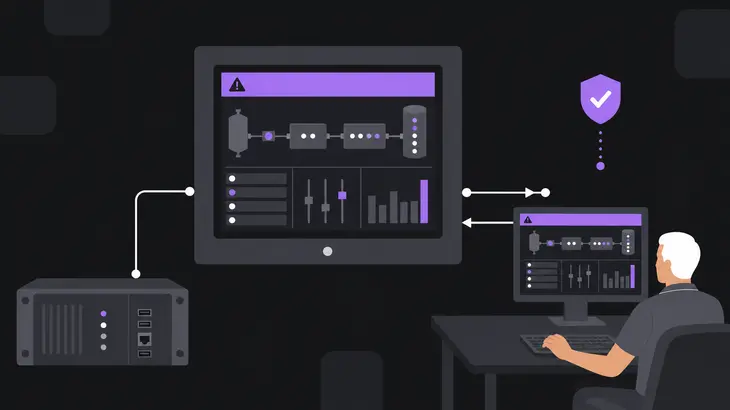
VNC moves a framebuffer, not a protocol conversation. The device draws its screen, the server on that device ships the changed rectangles to your viewer, and your keyboard and mouse travel back the other way. Because RFB works at the framebuffer level, it does not care what the panel runs underneath: you get the operator's screen as the operator sees it, alarm banner and live process graphic included.
That cuts both ways. A remote click is a real click on the running process: you get the operator's screen rather than a read-only view, and the protocol has no idea which tag you just wrote.
Two shapes turn up on a plant floor, and they are not interchangeable.
A server built into the device. Automation servers and touch panels ship one in firmware, and the views it exposes are the ones that device offers, so two panels from the same catalogue need not show you the same thing. What you can set is normally the password. A security type, an idle timeout or a user list is not on offer unless the vendor put one there, which leaves the network around the panel carrying the whole security argument.
A server you install on an industrial PC. A Windows or Linux box running the SCADA client or an engineering tool takes an ordinary VNC server, so the options belong to the software rather than to someone's firmware. On Debian 13 with TigerVNC that means security types, a loopback bind, idle timeouts and checks against real user accounts. This is the case you can actually harden.
What OT asks for that base VNC does not give you
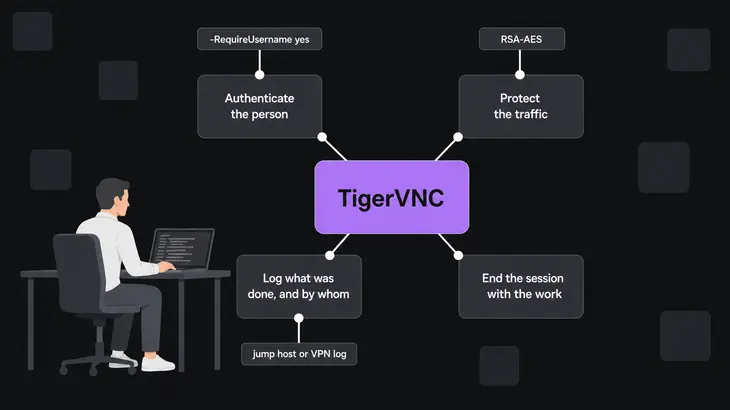
Four requirements decide remote access on a control network. A remote-maintenance tool is expected to authenticate the person doing the maintenance, open the connection when the work starts, tear it down the moment the work ends, and log what was done. Base VNC manages one of the four, and manages it badly.
| What OT asks for | What base VNC does | What has to supply it instead |
|---|---|---|
| Authenticate the person | VncAuth is one shared password cut to eight characters, carrying no user name at all |
Identity on the jump host or VPN, or TigerVNC’s RSA-AES types with -RequireUsername yes |
| Protect the traffic | Nothing. The base protocol offers no protection against observation of the data stream or tampering with it | An SSH tunnel or a VPN carrying the session, or a TLS*, X509* or RA2* type both ends speak |
| End the session with the work | Nothing. -IdleTimeout sits at 0, so an idle connection is never dropped |
-IdleTimeout and -MaxIdleTime in seconds, and a firewall rule you open and close |
| Log what was done, and by whom | VncAuth hands the server no user name, so nothing it logs identifies a person |
The jump host or VPN log, which does have the name |
The eight-character limit is not a ceiling you work around by choosing a longer passphrase. The client forms the DES key from the first eight characters and drops anything past them, which is why the scheme is cryptographically weak and was never meant for untrusted networks. On a control network that rules out VncAuth standing alone between a viewer and an HMI.
TigerVNC can put a real account on the session instead. Set -RequireUsername yes with one of the RSA-AES types (RA2, RA2ne, RA2_256, RA2ne_256) and it checks a Unix user name and password rather than the VNC password file; the *Plain types do the same through a PAM service you name. -PlainUsers then decides who is allowed through, and out of the box that is only the account which started the wrapper.
Where the listener belongs on a segmented plant network
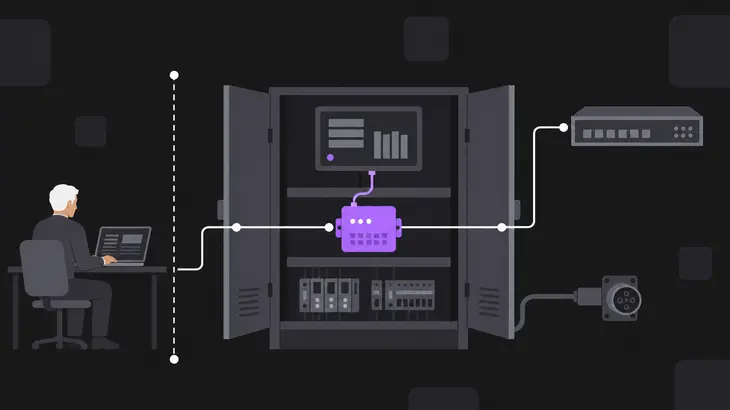
Good practice on an OT network is to characterize, segment and isolate IT and OT devices, with the Purdue model one of the recognised ways to organise it. The rule that falls out of it places your listener for you: firewall rules permit connections only between adjacent levels, so a Level 4 device never talks straight to Level 2, 1 or 0. A viewer on an office desk and an HMI on a cell network are not adjacent, and no VNC setting changes that.
So the listener does not face the plant network at all. It binds to loopback on the device, and the only route to it is a conduit you control: an SSH tunnel through a jump host in the OT DMZ, or a VPN that terminates there. That conduit is also where multi-factor authentication has to sit, because the protocol's own security types have nowhere to carry one.
Underneath all of it sits the split between the two networks: internet access, email and remote access are routine on the corporate side and not allowed on the OT side. A remote session that circumvents a safety or security control already in place does not get built, whatever else is true of it.
A worked run on a Debian 13 industrial PC
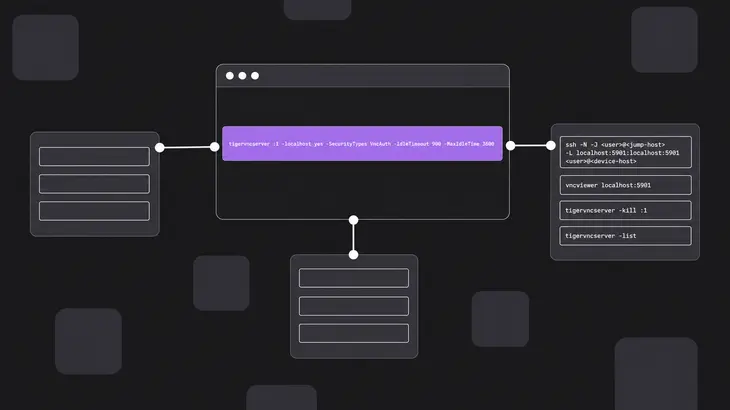
tigervncserver is the Debian and Ubuntu name for the wrapper, its files live under ~/.config/tigervnc/, and the defaults that matter here are the wrapper's rather than those of the Xtigervnc binary it starts.
Start the server bound to loopback with timeouts on it. -localhost yes is the option that pins the bind; leave it off and the type list decides instead, with the wrapper opening every address on the machine as soon as that list holds a TLS* or X509* type and no *None type. Naming VncAuth on the line keeps that implicit rule out of the picture. The wrapper runs tigervncpasswd for you the first time and writes ~/.config/tigervnc/passwd.
tigervncserver :1 -localhost yes -SecurityTypes VncAuth -IdleTimeout 900 -MaxIdleTime 3600The wrapper backgrounds the server, since -fg is the form that holds the terminal. Confirm the bind before you trust it:
ss -ltn | grep 5901Display :1 puts the listener on 5901, because server N takes port 5900+N. You want 127.0.0.1:5901 and [::1]:5901, and nothing on 0.0.0.0. Loopback is two addresses and IPv4 and IPv6 are both on by default, so two lines is correct. Running that same check first on a device you inherited tells you what it exposes today before you change anything about it.
A headless industrial PC often has no desktop environment installed, so a session on one has nothing to draw. Point it at the application instead: -xstartup <script> runs your script in place of ~/.config/tigervnc/xstartup, which is how the SCADA client comes up full screen with nothing else in the session.
Open the conduit from your engineering workstation, hopping through the jump host that sits between the zones. -N runs no remote command, so this holds the terminal until you close it, and binding the local end to localhost keeps the forwarded port off your workstation's own interfaces.
ssh -N -J <user>@<jump-host> -L localhost:5901:localhost:5901 <user>@<device-host>From a second terminal, point the viewer at your own loopback. A single-colon number of 100 or more reads as a port, so this dials 5901 rather than display 5901:
vncviewer localhost:5901When the work ends, stop the server rather than leaving the timeout to do it:
tigervncserver -kill :1
tigervncserver -list
-list prints every TigerVNC session started through tigervncserver or x0tigervncserver and marks dead ones (stale), so the display you just killed should be gone from it.
Two defaults deserve attention before a device like this goes near production. -localhost no flips the bind to every address on the machine and switches the default type list to VncAuth,TLSVnc, which is how a hardening change turns into an exposed listener. And the brute-force blacklist is on by default: five failed attempts from one host and that host is locked out for an initial ten seconds. Useful, right up until the host locked out is the engineer trying to reach an alarmed cell, so put it in the incident runbook.
Hardening a panel whose VNC server you cannot reconfigure
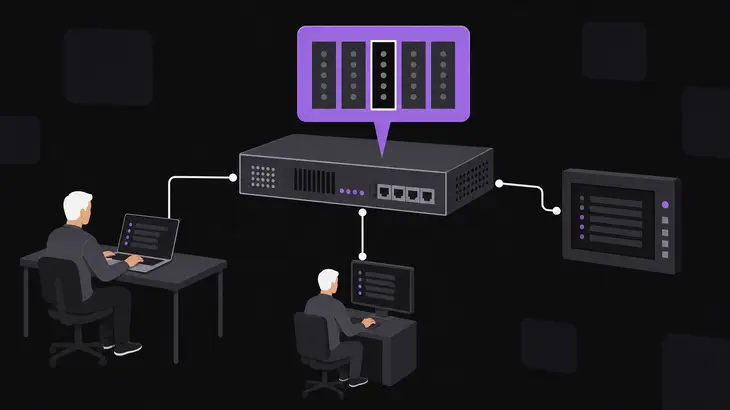
A firmware server usually gives you one knob. Use it. Embedded panels commonly arrive with a vendor-set password, and the first job on any new device is removing, disabling or modifying default credentials. Until that is done, treat the panel as an open device rather than as a device with a password.
Everything else has to come from the network, because the panel will not do it for you. No idle timeout means the firewall rule is your timeout: open it for the window of work and close it after. No account means identity lives on the jump host, one login per engineer and one per machine builder. No security type means the tunnel or VPN is not optional: it is the only thing between the framebuffer and the wire.
One item on that list is not technical at all. Operations personnel get told before a remote session starts. A viewer on an HMI drives the live process, and the person standing at the panel needs to know the cursor is not theirs.
Browser access to a web HMI, and the default that bites
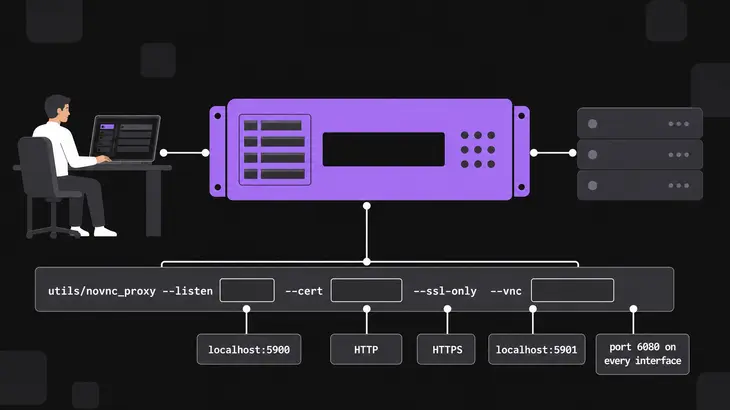
Putting a panel in a browser means a websocket proxy in front of the VNC server, and novnc_proxy is the usual one. Its defaults suit a workstation rather than a plant: the listener comes up on port 6080 on every interface, and it proxies to localhost:5900 on the same host.
The all-interfaces default is the part to fix. Name the interface the browser route should answer on, and refuse plain HTTP:
utils/novnc_proxy --listen <host>:<port> --cert <path-to-cert.pem> --ssl-only --vnc localhost:5901Name the certificate rather than relying on the fallback. Without --cert the script hunts for a self.pem beside itself and only warns when it finds none, which leaves --ssl-only refusing plain HTTP with nothing to serve HTTPS with.
A loopback proxy target works in your favour here. It pairs with a VNC server left on the loopback bind, so the proxy host becomes the single place the session is reachable, and the conduit rule that covered the server now covers the proxy.
Where VNC for industrial devices does not fit
None of these is fixable with configuration, so say no to them:
- A listener reachable from the corporate network or the internet. There is no transport protection and no account behind the password, so the exposure is the entire risk.
- A device that only speaks
VncAuthon a link you cannot tunnel or VPN. Anyone on the path reads the screen and types into it. - Shared operator access where you need to know who did what. One password identifies nobody, and no amount of server-side logging recovers the name afterwards.
- A safety-instrumented function. A graphical session that can click anything on the panel is not a control, and remote access must not negate one.
- An unattended standing connection. Without
-IdleTimeoutthe session outlives the work, and on a firmware server there is no timeout to set.
Where none of that applies, VNC is a reasonable choice and usually the only one a panel offers. If the target is a Windows industrial PC that already has a managed remote-desktop path, settle which of the two protocols suits the job before you add a second one.
Put VNC on an industrial device when it sits in a segmented zone, when the session arrives through a tunnel or a VPN that knows which engineer is on it, and when someone closes the path once the work ends. Anything you cannot reach that way stays off, and on a firmware panel the network is the only control you hold.
If servers are already running out there, the useful next step is the inventory nobody has: which devices have a VNC server switched on at all, who holds each password, and whether any session is still open from work that finished months ago. That list decides your exposure far more than the protocol does.
FAQs
Will VNC hold up over a thin link to a remote site?
Cap the update rate rather than hoping. RFB defines the Raw, CopyRect, RRE, TRLE, Hextile and ZRLE encodings, and ZRLE, TRLE and CopyRect compress a typical desktop best. On top of that, -FrameRate caps updates per client and sits at 60 a second until you lower it; changes arriving faster get aggregated into one update. Setting it low on a cellular or satellite backhaul trades smoothness for a hard ceiling on what the link has to carry.
Can I give a machine builder temporary access to one panel?
Yes, under the same conditions any vendor session gets: a unique user name rather than a shared one, the device's default credentials already changed, the access removed when the job ends instead of left in place, the activity monitored while it runs, and the people on the floor told it is happening. VNC supplies none of those, so all five live on the conduit: a per-vendor account on the jump host, a firewall rule you open for the window and close after it, and the jump host's session log as the record.
Does putting the panel behind a VPN mean I can skip the VNC password?
No. A VPN decides which zone the session lands in, not who inside that zone may drive an HMI. Anyone already on the VPN, and anything that later lands on that subnet, reaches an unauthenticated server directly. Keep a password on the device and put the account on the conduit, so one failure does not become both.
Discuss this in the community
Questions about this, or a setup it does not cover? Ask in Developer and Integration Topics.
Developer and Integration Topics group