Plain VNC isn't, at least not on a network you don't trust. The base protocol either asks for nothing or runs a DES password check that only uses the first eight characters, and past that check it protects nothing. A VNC session holds up when its listener stays on localhost and you reach it through an SSH tunnel, or when the server offers only X.509 types and the viewer verifies the server's certificate.
Which case your own server is in comes down to two things you can read off it in a minute: the address its listener accepts, from ss on the server, and the security types it offers, from nmap on another machine.
Why plain VNC doesn't hold up on an open network
Every VNC product speaks RFB, and RFB has two ways in. With the None security type the server asks for nothing, so if the listener is reachable, every host that can route to it gets the desktop. With VNC Authentication the server sends a random challenge and the viewer encrypts it with DES, keyed with your password truncated to eight characters. Type twelve characters into a tool that takes them, as Ubuntu 24.04's tigervncpasswd does, and only the first eight are stored. The scheme is weak by design and not meant for untrusted networks, and once it's done, the screen and your keystrokes cross the wire exactly as RFB carries them.
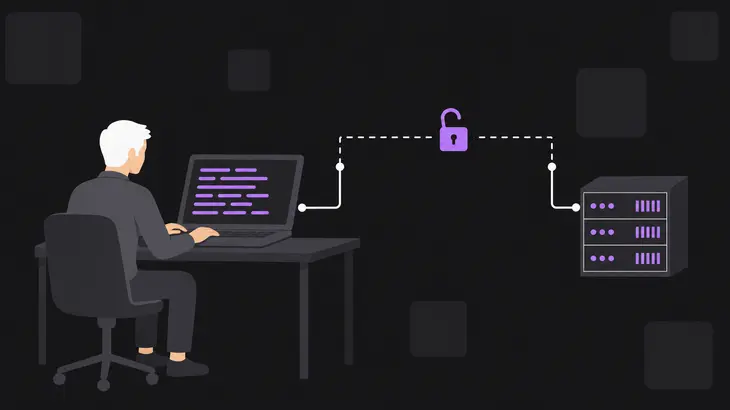
Two more things decide how exposed you are. From RFB 3.7 on, the viewer picks one type from the list the server offers (a 3.3 server picks it alone), so a server that offers TLSVnc,VncAuth still lets any client choose the bare DES check. And protection in transit has to come from outside the base protocol, through TLS or SSH, with the viewer verifying the host's certificate or key. Skip that check and a man in the middle can capture the VNC password, your OS credentials and the session itself.
Check what your server exposes
Start on the server. Display :1 listens on port 5901, 5900 plus the display number, and ss -tlnp shows the address that listener is bound to:
sudo ss -tlnp | grep 5901127.0.0.1:5901 in the local address column means only local connections get in, and SSH is your way to it. 0.0.0.0:5901 or [::]:5901 means every interface, and the next check is the one that tells you how bad that is.
From another machine on the same network, ask the server what it offers with nmap's vnc-info script:
nmap -p 5901 --script vnc-info <server-host>Read the Security types: block. None (1) means anyone gets in, and the script adds WARNING: Server does not require authentication to make sure you notice. VNC Authentication (2) on its own means the eight-character DES check is the only thing in the way. TigerVNC's TLS and X.509 types come back as one entry, VeNCrypt (19), with a VeNCrypt auth subtypes block under it. VNC auth, Server-authenticated TLS is X509Vnc; anything ending in Anonymous TLS encrypts the link but doesn't prove which server you reached. A stock upstream TigerVNC shows VeNCrypt (19) and VNC Authentication (2) side by side, which is the fallback problem from the previous section.
Put the two results together. Loopback in ss with SSH in front of it is fine as it stands. A wildcard address is only safe to leave when the scan shows nothing but Server-authenticated TLS subtypes and your viewers hold the CA; anything else on a reachable port needs one of the fixes below. Run the same scan after every change, and check that the server now offers what you set.
What TigerVNC can offer instead
TigerVNC's Xvnc adds TLS, X.509 and RSA-AES types on top of None and VncAuth. Upstream, its default is TLSVnc,VncAuth, while Debian's wrapper offers only VncAuth until you set the types (see the Debian section below). You give Xvnc a comma-separated -SecurityTypes list from these values:
None: no authenticationVncAuth: the DES challenge-response checkPlain: user name and password, allowed only for the users in-PlainUsers, which denies everyone by defaultTLSNone,TLSVnc,TLSPlain: the TLS typesX509None,X509Vnc,X509Plain: TLS with the server certificate from-X509Certand-X509Key, which the viewer checks against its-X509CAfileRA2,RA2ne,RA2_256,RA2ne_256: the RSA-AES types
For a listener other machines can reach, offer only X.509 types. They're the ones where the viewer checks the certificate, so it knows it reached your host and not something in between. Leave every *None type out, since those run no authentication at all. Display :1 with a certificate and a password file (the binary is Xtigervnc on Debian and Ubuntu):
Xvnc :1 -SecurityTypes X509Vnc -X509Cert <cert.pem> -X509Key <key.pem> -rfbauth <passwd-file>Offer VncAuth anywhere in the list and the eight-character limit comes back with it.
RealVNC Server comes at this from the other end. Its Encryption parameter defaults to AlwaysOn, so sessions are encrypted end to end, and it can check the host's own system login instead of a separate VNC password. Where its listener can be reached still matters, so the ss and nmap checks apply to it too.
Close it down: SSH tunnel or X.509
There are two setups that hold. For admin access from your own machine, use the tunnel: it leaves no VNC port reachable from the network at all, and it's the setup TigerVNC's own service unit points you to. Use X.509 when other hosts have to connect directly. Either way, the viewer has to verify the other end: the SSH host key on a tunnel, the server certificate on X.509. A certificate exception clicked through is exactly what CVE-2020-26117 turned into server impersonation.
Tunnel it over SSH
Keep the session on :1 bound to localhost. On the viewer host, run this and leave the shell open:
ssh -L 5901:localhost:5901 <user>@<server-host>The local port forward takes connections to port 5901 on your machine and hands them to localhost:5901 as the server sees it. Then point the viewer at your end of the tunnel. The double colon means TCP port 5901; localhost:1 would name the same port as display 1:
vncviewer localhost::5901TigerVNC's viewer can open the tunnel itself with -via. The address after the gateway is resolved there, so localhost means the server, not your machine:
vncviewer -via <user>@<server-host> localhost:1The forward carries a plain TCP port, so the same commands work for any VNC server that listens on localhost. On the server, ss still shows 127.0.0.1:5901, and a scan from outside no longer finds an open VNC port.
What changes on Debian 13: the wrapper moves the listener
Debian runs TigerVNC through the tigervncserver wrapper, which sets the listener from two variables in its Perl-syntax configuration files: $SecurityTypes and $localhost. They're tied together. With no types set, the wrapper offers only VncAuth and $localhost defaults to "yes", so a fresh session is loopback-only.
Here's the gotcha. Add at least one TLS or X.509 type and no *None type, and the $localhost default flips to "no" on its own (an RA2 type does the same): the host that only took local connections a minute ago now takes them from other machines. If you're on Debian and heading for the X.509 setup below, that's the moment the listener opens, so scan straight after you set the types. Setting -localhost no without naming types does something else again, widening the offer to VncAuth,TLSVnc, so the bare DES check is reachable from the network too.
| Security types configured | Types offered | $localhost default |
|---|---|---|
| None specified | VncAuth |
“yes” |
TLS or X.509 types, no *None type |
The TLS or X.509 types you specify | “no” |
None specified, -localhost no |
VncAuth,TLSVnc |
set to “no” |
The wrapper reads /etc/tigervnc/vncserver-config-defaults, then the user's ~/.config/tigervnc/config.pl, then the command line, and parses /etc/tigervnc/vncserver-config-mandatory last. A line there holds against both the user's file and the command line, so to keep every session on loopback whatever types get set, put this in the mandatory file:
$localhost = "yes";Then, as the session user, set the password:
tigervncpasswdIt wants six to eight characters and writes ~/.config/tigervnc/passwd. Debian 13's TigerVNC 1.15 refuses a longer password with Password should not be greater than 8 characters and asks again, rather than quietly dropping the tail. The file holds the password obfuscated, not encrypted: anyone who can read it can trivially recover the plain text, so read access to that file is read access to the VNC password.
Expose it with X.509 only
To pin the types host-wide on RHEL 9, use /etc/tigervnc/vncserver-config-mandatory, which replaces the default configuration and outranks the per-user file, with one Xvnc option per line as option=value. Don't copy the familiar securitytypes=vncauth,tlsvnc line from the RHEL docs' defaults-file example, because it leaves the bare DES check on offer. Pin the X.509 type and its certificate instead:
securitytypes=x509vnc
x509cert=<cert.pem>
x509key=<key.pem>
On RHEL, restart the vncserver@ unit for display :1, open the VNC service in the firewall, and connect from a viewer that holds the CA certificate:
sudo systemctl restart vncserver@:1
sudo firewall-cmd --permanent --add-service=vnc-server
sudo firewall-cmd --reload
vncviewer -X509CA <ca.pem> <server-host>:1
On Debian 13 the same pin goes in the mandatory file in the wrapper's Perl syntax: $SecurityTypes = "X509Vnc"; plus $X509Cert and $X509Key pointing at your certificate and key, and no $localhost = "yes"; line. Restart with sudo systemctl restart tigervncserver@:1, open 5901 in the host's firewall (sudo ufw allow 5901/tcp under ufw), and connect with xtigervncviewer -X509CA <ca.pem> <server-host>:1.
Scan again. VNC Authentication (2) should be gone from the list, and the subtypes should read VNC auth, Server-authenticated TLS. One gap stays open: vncsession is what reads the mandatory file and hands its options to Xvnc, so an Xvnc that a user starts by hand never sees it. Keep checking ss for listeners you didn't expect.
Patch it: TigerVNC CVEs and fixed packages
TigerVNC picks up CVEs like any network daemon, and what you need is the fixed package number in your own distribution's advisory. CVE-2020-26117 covers TigerVNC mishandling TLS certificate exceptions: once a client accepts an exception, an attacker can impersonate the server and get at sensitive information. Ubuntu 20.04 gets the fixed packages through Ubuntu Pro (ESM Apps).
RHSA-2024:2037, a TigerVNC update for RHEL 8 rated Important, is a different kind of fix. Its three CVEs are X.Org server flaws, and they reach TigerVNC because Xvnc is built on a standard X server. The fixed builds differ by release, 1.13.1 for RHEL 8 and 1.10.1 for Ubuntu 20.04, so compare against your release's row, not the upstream version.
| Advisory | CVE | Platform | Fixed package | Date |
|---|---|---|---|---|
| USN-5965-1 | CVE-2020-26117 | Ubuntu 20.04 LTS | 1.10.1+dfsg-3ubuntu0.1+esm2 |
March 21, 2023 |
| RHSA-2024:2037 | CVE-2024-31080, CVE-2024-31081, CVE-2024-31083 | RHEL 8 | tigervnc-server-1.13.1-2.el8_9.10 |
April 24, 2024 |
Check what you have installed against that row. dpkg -l takes a quoted pattern on Debian and Ubuntu, and rpm -q takes the package name on RHEL:
dpkg -l 'tigervnc*'
rpm -q tigervnc-server
Start with the VNC servers nobody connects to any more: systemctl disable --now on their units stops them now and at every boot, and a listener that isn't running exposes nothing. Each one you keep gets one of the two setups above, picked by whether anything besides your own workstation has to reach it.
FAQs
Who can read the VNC password file?
Only you. tigervncpasswd sets read and write for the owner only on the file it writes, and ls -l ~/.config/tigervnc/passwd (~/.vnc/passwd on Ubuntu 24.04) shows those bits and none for group or others. Those permissions are the real protection, since the obfuscation inside the file is trivially reversed.
Can a hostile VNC server attack the viewer?
It has happened. The viewer decodes everything the server sends, and TigerVNC 1.10.1 fixed bugs in both client and server that could let a malicious peer take control of the software at the other end once that peer had authenticated. Patch viewers on the same schedule as servers. The dpkg -l 'tigervnc*' check above lists the viewer package on Debian and Ubuntu along with the server.
Can I open the X.509 listener to one subnet instead of the whole zone?
Yes. Swap the zone-wide vnc-server service for a rich rule with a source address:
sudo firewall-cmd --permanent --remove-service=vnc-server
sudo firewall-cmd --permanent --add-rich-rule='rule family="ipv4" source address="<subnet>" service name="vnc-server" accept'
sudo firewall-cmd --reload
sudo firewall-cmd --list-rich-rules
The last command prints the rule back, and hosts outside <subnet> can no longer reach the VNC ports. That narrows who gets to try the X.509 check; it doesn't replace it.
Discuss this in the community
Questions about this, or a setup it does not cover? Ask in Security and Remote Access.
Security and Remote Access group