VNC works on Wayland, just not with the X11 tools you're used to. On a Wayland login, x11vnc and RealVNC Server can't see the desktop, so you need a server that gets the screen from the compositor. On Sway, Wayfire and other wlroots compositors, that's WayVNC. On GNOME and KDE Plasma, it's TigerVNC's w0vncserver, new in 1.16 and packaged in Fedora, Arch and openSUSE Tumbleweed. Plasma also has krfb, and GNOME has its own Remote Desktop server with a VNC backend where your distribution builds it.
The compositor decides, not the protocol. WayVNC doesn't support GNOME, KDE or Weston, so the same wayvnc that runs fine on Sway exits on GNOME because the protocols it needs aren't there.
Why X11 VNC servers go blind on Wayland
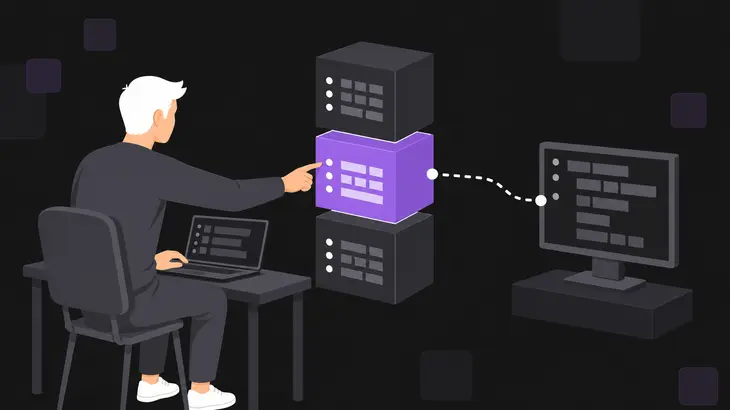
Wayland leaves remote rendering out of the protocol entirely. Anything that shows your screen to another machine sits on top of the compositor and has to ask it for frames and for a way to inject input. On X11, x11vnc and x0vncserver simply poll the X display, and that's the access Wayland takes away.
A Wayland-aware server gets the screen one of three ways:
- wlroots protocols. Sway and Wayfire expose
zwlr_screencopy_manager_v1for frames, plus virtual pointer and keyboard protocols for input. WayVNC uses them, and so does w0vncserver when no portal offers remote desktop. - The desktop portal. GNOME and KDE Plasma implement the xdg-desktop-portal RemoteDesktop and ScreenCast interfaces and stream frames over PipeWire. w0vncserver tries this path first, and krfb uses it on Plasma.
- The desktop's own server. GNOME Remote Desktop talks to Mutter directly and has an optional VNC backend. Weston's VNC backend runs the whole compositor as a VNC session.
x11vnc is built for real X11 displays, and on a Wayland desktop the only X server around is Xwayland, which hosts the X11 apps, not the desktop. Point x11vnc 0.9.16 from Ubuntu 24.04 at it on Sway and it doesn't get far. From a terminal inside the session it sees WAYLAND_DISPLAY and quits with Wayland sessions are as of now only supported via -rawfb and the bundled deskshot utility. Exiting. From an SSH shell it gets as far as its first screen grab and dies with X Error of failed request: BadMatch (invalid parameter attributes). RealVNC Server doesn't support Wayland on Linux at all, and a viewer connecting to it on a Wayland login gets a blank screen or "Cannot currently show the desktop".
Nothing changes on the viewer side. RFB works at the framebuffer level and is applicable to all windowing systems, so TigerVNC's vncviewer or any other client talks to a Wayland-hosted server over the same protocol it uses with Xvnc.
VNC server support by Wayland desktop
Find your desktop's column. "Yes" means the server shares the session you're logged into; Xvnc and Weston's backend start a separate session instead.
| Server | GNOME (Wayland) | KDE Plasma (Wayland) | Sway, Wayfire (wlroots) | X11 login |
|---|---|---|---|---|
| WayVNC | no | no | yes | no |
| TigerVNC w0vncserver 1.16+ | yes, via portal | yes, via portal | 1.16.2 crashed on first client (headless Sway 1.9) | no |
| GNOME Remote Desktop, VNC backend | yes, where built | no | no | untested |
| krfb | untested | yes, via portal | untested | yes |
| Weston VNC backend | no | no | no | no, runs its own Weston session |
| TigerVNC Xvnc | separate X session | separate X session | separate X session | separate X session |
| x11vnc, x0vncserver | no | no | no | yes |
| RealVNC Server | no | no | no | yes |
Where to get w0vncserver. It arrived in 1.16.0 in January 2026. Fedora 43 and 44 package it as tigervnc-wayland-server, Arch's tigervnc includes it, and openSUSE Tumbleweed ships it in xorg-x11-Xvnc. Ubuntu 26.04, Ubuntu 26.10, Debian 13 and Debian sid still carry 1.15.0. The upstream 1.16.2 builds cover Ubuntu 22.04 and 24.04 and RHEL 8 to 10, with nothing for Ubuntu 26.04 or Debian yet. Before installing the Ubuntu 24.04 .deb, remove Ubuntu's own tigervnc-* packages: they ship the same files (tigervncpasswd, Xtigervnc, x0tigervncserver, the translations), and dpkg refuses to overwrite them.
For wlroots compositors, use WayVNC. w0vncserver 1.16.x only reaches its wlroots path when an xdg-desktop-portal service is installed, and on headless Sway 1.9 it crashed on the first client that connected.
GNOME Remote Desktop's VNC backend is a build option, off by default upstream. Fedora 43's package has it. Ubuntu 24.04 and Debian 13 build without it, and their grdctl only knows rdp. Where it's built, it shares the session you're logged into or a headless single-user session.
krfb is Plasma's VNC server, shown as Desktop Sharing. On Wayland it captures through its PipeWire plugin and the portal, and Ubuntu 24.04's krfb package includes that plugin. The Remote Desktop page in Plasma's System Settings runs KRdp, which speaks RDP, not VNC.
Xvnc is an X server with a virtual framebuffer. TigerVNC's systemd unit (tigervncserver@.service on Ubuntu and Debian, vncserver@.service on Fedora and in the upstream builds) starts a fresh desktop inside it, so it works whatever the console runs but never shows you the console.
Weston's VNC backend runs Weston without graphics hardware or input devices, reachable only over RFB. It authenticates the user running weston through /etc/pam.d/weston-remote-access, disconnects the first client when a second one connects, and ships in Ubuntu 24.04's weston 13.
Check what your own machine supports
Start with the session type. Over SSH, list the sessions and query the graphical one:
loginctl list-sessions
loginctl show-session <session-id> -p Type -p Desktop
loginctl prints Type=wayland or Type=x11, and Desktop= names the desktop when it's known. Type=x11 means the X11 tools still work on this login.
From a terminal inside a Wayland session, check for the wlroots protocols. wayland-info is in the wayland-utils package on Ubuntu:
wayland-info | grep -E 'zwlr_screencopy_manager_v1|zwlr_virtual_pointer_manager_v1|zwp_virtual_keyboard_manager_v1'Sway prints all three interfaces, which is what WayVNC and w0vncserver's wlroots path need. Weston prints none.
Then check for a portal backend with RemoteDesktop, which w0vncserver and krfb need on GNOME and KDE:
grep -l RemoteDesktop /usr/share/xdg-desktop-portal/portals/*.portalgnome.portal and kde.portal list it. wlr.portal doesn't, so on Sway w0vncserver falls back to the wlroots protocols.
For versions, wayvnc --version prints wayvnc: 0.7.2 on Ubuntu 24.04, and w0vncserver -version prints TigerVNC server version 1.16.2 for both the Fedora package and the upstream build. On GNOME, this tells you whether your build has the VNC backend at all, and on Ubuntu 24.04 it prints nothing:
grdctl --help | grep vncSharing a GNOME or KDE session: w0vncserver and GNOME Remote Desktop
On GNOME or Plasma, w0vncserver is the one server that covers both. Fedora packages it, so install it, set a password and start it from a terminal inside the desktop session, since it needs that session's portal. Keep it on loopback:
sudo dnf install tigervnc-wayland-server
vncpasswd
w0vncserver -localhost -PasswordFile ~/.config/tigervnc/passwd
vncpasswd writes ~/.config/tigervnc/passwd, and w0vncserver prints Listening for VNC connections on local interface(s), port 5900 and stays in the foreground. Leave out -localhost and it listens on every interface, which ss -tln shows as 0.0.0.0:5900. There's no default password file, so always pass -PasswordFile. With the upstream .deb on Ubuntu, the password tool is called tigervncpasswd and writes the same file.
From your workstation, open the tunnel and keep that SSH session open:
ssh -L 5900:localhost:5900 <user>@<server-host>Then point the viewer at the forwarded port from a second terminal:
vncviewer localhost:5900The first connection after each start brings up the portal's screen picker on the shared desktop, so someone has to answer it. -RememberDisplayChoice=Always keeps that answer across restarts, and w0vncserver-forget clears it. Two more things bite in 1.16: it shares one screen only, and on a machine with no xdg-desktop-portal service at all it quits with The name org.freedesktop.portal.Desktop was not provided by any .service files instead of falling back to the wlroots protocols. That fallback is fixed on master, not in a release.
On Fedora's GNOME you don't need an extra package. As the session user, enable the VNC backend and the remote assistance service:
grdctl vnc set-auth-method password
grdctl vnc set-password
grdctl vnc disable-view-only
grdctl vnc enable
systemctl --user enable --now gnome-remote-desktop.service
grdctl vnc set-password reads the password from standard input. The VNC port defaults to 5900 and binds every interface, not just loopback, so the tunnel works, and so does a direct connection from anything your firewall lets through. Don't go looking for this in Settings: the Desktop Sharing switch under Settings ▸ System ▸ Remote Desktop configures RDP.
WayVNC on wlroots: what stops it and what only limits it
WayVNC needs screencopy plus the virtual pointer and keyboard protocols, and it tells you which one is missing. On Weston, Ubuntu 24.04's 0.7.2 first prints Virtual Pointer protocol not supported by compositor. and suggests --disable-input. With that flag it gets one step further and exits on Screencopy protocol not supported by compositor. Exiting. So --disable-input rescues a compositor that has screencopy but no virtual input, and you get a view-only session. It won't turn GNOME, KDE or Weston into supported compositors.
Output selection is where versions bite. WayVNC captures the first output, and --output=<name> picks another. While it runs, wayvncctl output-list shows the names, with a * on the captured one. Capturing all outputs with --desktop, or a single window with --toplevel=<identifier>, needs 0.10.0. Ubuntu 24.04 ships 0.7.2, while Ubuntu 26.04, Debian 13 and Fedora 43 and 44 ship 0.9.1. So far 0.10 is only in Debian testing and sid, Fedora Rawhide and Ubuntu 26.10.
The X11 fallback is closing
If the plan is to log in on X11 and keep x11vnc or RealVNC Server, check that the X11 session still exists. On Ubuntu 24.04 it does: RealVNC's answer is to turn Wayland off in GDM with WaylandEnable=false in /etc/gdm3/custom.conf and a reboot.
Upstream, both big desktops are getting rid of it. Plasma 6.8, released on 14 October 2026, starts Wayland sessions only. Plasma 6.7 is the last release with an X11 session, and KDE supports that session into early 2027. GNOME 49 disables the X11 session by default and leaves it as a build option. Xwayland keeps individual X11 apps running on both desktops, but it doesn't bring back an X11 desktop for x11vnc to share.
Headless Wayland hosts with no monitor
WayVNC doesn't need a physical display: a wlroots compositor on its headless backend is enough. On Sway, the documented route has two long-running steps, and each one holds its terminal. Start Sway on the host and leave that terminal open:
WLR_BACKENDS=headless WLR_LIBINPUT_NO_DEVICES=1 swayFrom a second shell on the host, check the socket name:
ls "$XDG_RUNTIME_DIR"You'll see wayland-1 with Sway 1.9 on Ubuntu 24.04; older Sway releases use wayland-0. From your workstation, start WayVNC through the tunnel. The SSH session holds this terminal while WayVNC runs, and wayvnc localhost binds loopback only, so the tunnel is the only way in:
ssh -L 5900:localhost:5900 <user>@<server-host> WAYLAND_DISPLAY=wayland-1 wayvnc localhostConnect the viewer from a second workstation terminal with the same vncviewer localhost:5900 as above.
GNOME Remote Desktop can also serve a headless single-user session over VNC where the backend is built, and Weston's VNC backend is headless by design.
Pick by compositor. On Sway or Wayfire, install WayVNC from your distribution and tunnel it. On GNOME or Plasma, run w0vncserver (Fedora's tigervnc-wayland-server, Arch, Tumbleweed, or the upstream 1.16 build on Ubuntu 22.04 and 24.04), or use the desktop's own route: GNOME Remote Desktop's VNC backend on Fedora, krfb on Plasma. Keep x11vnc and RealVNC Server for machines that still log in on X11, and expect that login to disappear as new GNOME and Plasma releases land.
FAQs
Can RealVNC Viewer or macOS Screen Sharing connect to WayVNC?
RealVNC Viewer can, over the RSA-AES security type that WayVNC 0.7.0 and later offer. From 0.7.x to 0.9.x the config needs enable_auth=true plus username= and password=, or enable_pam=true to sign in with system accounts; with neither, WayVNC exits with Authentication enabled, but missing username. Add rsa_private_key_file so the server keeps one key, which the viewer checks on later connections the way SSH checks a host key. RealVNC's guide for the WayVNC built into Raspberry Pi OS has you add rsa_private_key_file the same way. macOS Screen Sharing needs WayVNC 0.10's legacy DES authentication with relax_encryption=true and allow_broken_crypto=true. DES leaves the session unencrypted, so keep it on a tunnel or a LAN you trust.
Can I reach the login screen over VNC on a Wayland machine?
Not with GNOME Remote Desktop: its GDM remote login is RDP-only. WayVNC and w0vncserver attach to a session that's already running, so someone (or autologin) has to log in first, and RealVNC Server on a Wayland machine may refuse connections until a user is logged in. If you need a desktop without anyone at the console, an Xvnc session from TigerVNC's systemd unit starts its own.
Discuss this in the community
Questions about this, or a setup it does not cover? Ask in Using VNC Technology.