Forward port 5900 on your router and every host that can route to your public address gets a shot at the RFB handshake, with whatever your VNC server asks for there as the only thing in the way. Cut that down by binding the listener to the loopback address and carrying the session in over an SSH local forward, so the accounts that can open an SSH session become the accounts that can reach the desktop.
Read what your server is listening on before you change anything. One ss run tells you whether a router mapping can reach the VNC port at all, and on a stock Debian or Ubuntu TigerVNC install the answer is already no.
What a forwarded port 5900 actually hands out
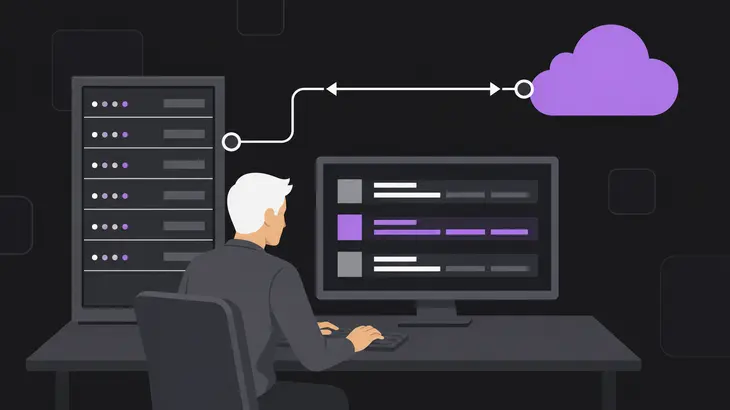
Three things decide whether an outside viewer reaches your desktop, and the router mapping is only the first. The mapping picks which internal host receives connections arriving on the public address, and that is all it does. On that host the VNC server's listener either accepts the connection or never sees it, which comes down to the address the listener is bound to. If the connection does land, the security type agreed during the RFB handshake is the last gate.
That gate is thinner than it looks. The None type needs no authentication at all, so any host that reaches the port gets the desktop. VNC Authentication sends a 16 byte challenge for the viewer to encrypt with DES, keyed with your password truncated to eight characters, a scheme RFB itself rules out for untrusted networks. Neither type cares where the connection came from, so a viewer that satisfies it gets the same session through a router mapping as it would from your LAN.
An SSH local forward is a second path to the same listener, and it ends on the server's own loopback address. Your viewer connects to a port on your own machine, ssh carries the bytes to the listener, and the listener sees a connection from the server itself. Which of the two paths can reach it comes down to one setting: the address it binds to.
Read the listener off your own server first
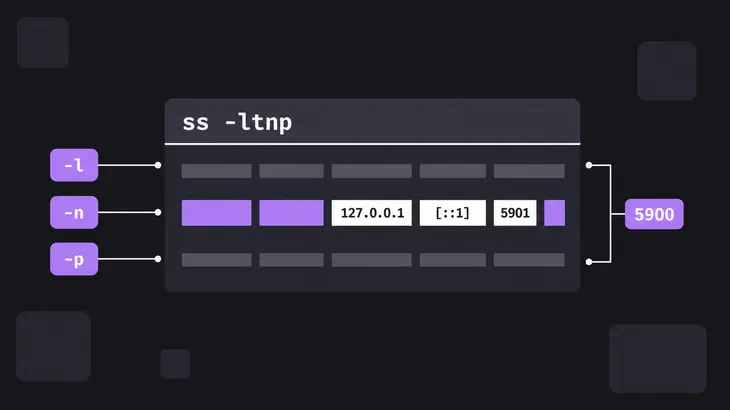
Run this on the VNC server host, before you touch the router:
sudo ss -ltnp-l trims the output to sockets in the listening state, -n keeps 5901 from being swapped for a service name, and -p names the process holding each socket, which is how you tell an Xtigervnc or x11vnc socket from everything else on the box.
Find the row whose port is 5900 plus the display number, so display :1 sits on 5901. The address printed in front of that port is the whole answer. 127.0.0.1, with [::1] alongside it once IPv6 is up, means only the server itself can open a connection, and the router mapping has nothing to hand traffic to. Any other address means the listener answers on that interface, and the mapping works exactly as the router promises.
What each VNC server binds to before you touch it
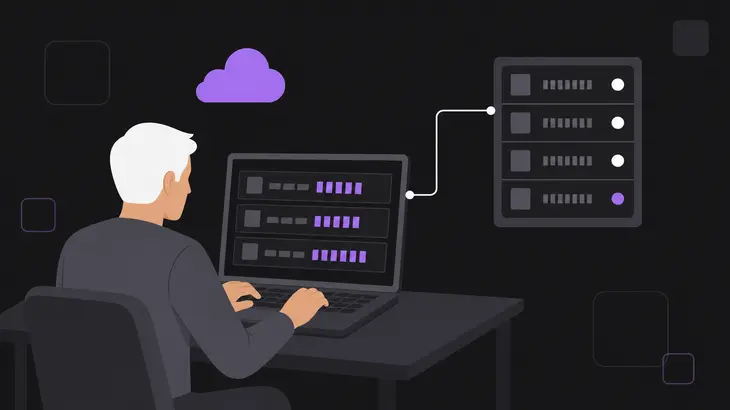
| Server | Bind address with stock settings | What a mapping to it reaches |
|---|---|---|
tigervncserver on Debian and Ubuntu |
loopback only, because the default security type list carries no TLS or X509 type | nothing, until somebody adds -localhost no or a TLS type |
x11vnc |
every interface on the machine | the live X display, immediately |
wayvnc |
loopback only | nothing, until the address is changed |
| RealVNC Connect | brokered by the cloud service unless direct connectivity is in use | nothing extra for a cloud connection, which needs no router rule |
The Debian and Ubuntu wrapper is the one that surprises people. Its default security type list is VncAuth on its own, and with no TLS or X509 type in that list it listens on the loopback address and nowhere else. Add -localhost no and the same wrapper switches to VncAuth,TLSVnc and binds to every address on the machine, which is how a box that was unreachable last week starts answering the mapping this week. x11vnc's -localhost is the mirror image: you get every interface until you pass it.
Prove the route from outside, not from the server
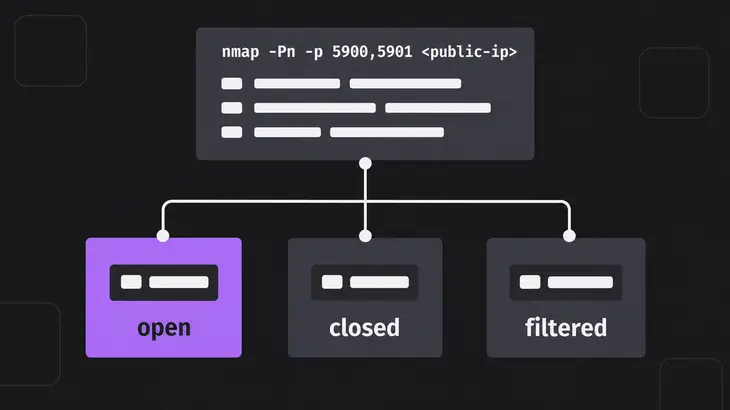
ss covers the host. It tells you nothing about the router mapping, which is the part you are trying to close. For that you need a machine on a different network, and a phone hotspot is enough:
sudo apt install nmap
nmap -Pn -p 5900,5901 <public-ip>
-Pn skips host discovery, so the scan runs whether or not the address answers a ping. Read the result as the state of the path rather than the state of the server: open means something is accepting TCP connections on that port, closed means the probes arrived and found nothing listening, and filtered means they never arrived. An open 5900 or 5901 is your mapping doing its job, and it is the line you want gone.
Bind TigerVNC to loopback and come in over SSH
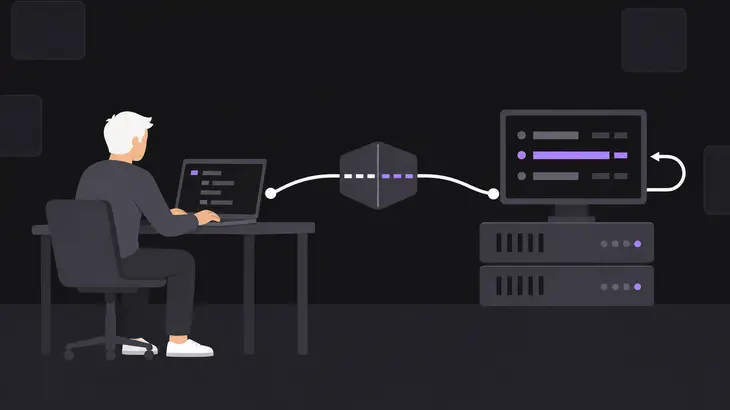
One complete path, on Debian and Ubuntu. Start the session with the bind spelled out, so you are not leaning on a default that a config file further down the chain can widen:
tigervncserver :1 -localhost yesThen check it landed where you asked:
sudo ss -ltnp | grep 5901You want 127.0.0.1:5901, with [::1]:5901 alongside it when IPv6 is up. Anything else in front of 5901 means the option did not apply, and the session is reachable from the LAN right now.
Open the forward from the client in a terminal you can leave alone, because -N runs no remote command and the command sits there until you close it:
ssh -N -L 5901:localhost:5901 <user>@<server-host>Your local 5901 binds to loopback without you asking for it, because that is what ssh does with a local forward unless GatewayPorts has been turned on. From a second terminal:
vncviewer localhost::5901The double colon makes 5901 a TCP port rather than a display number. TigerVNC's viewer will do both halves in one command if you would rather not juggle terminals, opening the tunnel itself and connecting through it:
vncviewer -via <user>@<server-host> localhost:1With -via, localhost means the gateway you just logged into rather than the machine you typed the command on, so :1 is the display on the server. Shut the session down when you are finished:
tigervncserver -kill :1x11vnc, wayvnc and RealVNC: what changes
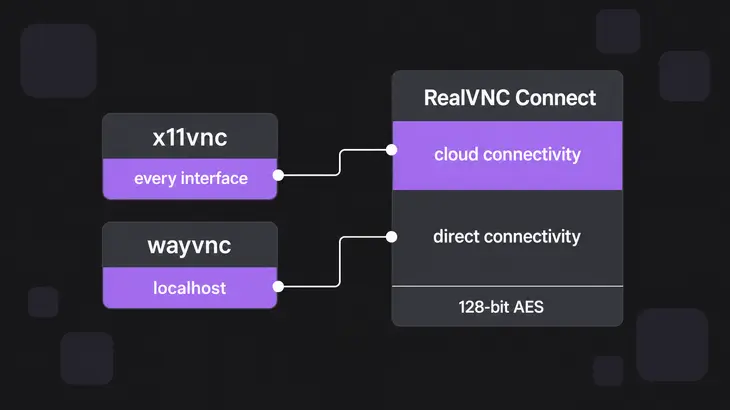
x11vnc attaches to an X display that is already running, and it listens on every interface until you tell it not to. -localhost does two jobs there: it cuts the allow list down to the loopback address and it implies -listen localhost, the IPv6 loopback included. The upstream one-liner starts the server and the forward together:
ssh -t -L 5901:localhost:5900 <user>@<server-host> 'x11vnc -localhost -forever -display :<display-number>'-forever is not decoration. Without it x11vnc exits as soon as the first viewer disconnects, so your next reconnect finds nothing listening. Mind the two port numbers as well: x11vnc defaults to 5900 while a TigerVNC display :1 sits on 5901, so that forward maps your local 5901 onto the server's 5900. The viewer command is the same localhost::5901 as before.
Read echo $DISPLAY inside the session you want to share before filling in that display number. Hardcoding :0 on a box that logs in through GDM on Xorg shares the greeter instead of your desktop, and a desktop running on Wayland gives x11vnc no X display to attach to at all.
wayvnc is already where you want it, accepting localhost connections only until you hand it an address, so the hardening job there is to leave the default alone and keep the mapping deleted.
RealVNC Connect takes the question off the table when you use cloud connectivity, which brokers the session instead of asking you for a router rule. Direct connectivity is the mode that puts you back into router and firewall work, and the encryption level matters there: AlwaysOn is the shipped default at 128-bit AES, while PreferOff and AlwaysOff leave session data readable to anyone who intercepts it.
What is left once the tunnel is the only path
The honest trade is that you have swapped one exposed service for another rather than removed one. SSH still has to be reachable from wherever you connect, which on a home router usually means a mapping to 22 instead of 5900. What makes that a better deal is what answers on the other end, so make it answer keys and nothing else:
# /etc/ssh/sshd_config
PasswordAuthentication no
KbdInteractiveAuthentication no
Both of those ship as yes, so an untouched file leaves password guessing on the table. Reload sshd and keep your current session open until a fresh one logs in with a key.
When the router mapping is not yours to delete, a host firewall gets you most of the way on Ubuntu. ufw ships disabled, so nothing you add takes effect until you enable it, and enabling it without an SSH rule first locks you out of the box:
sudo ufw allow 22
sudo ufw deny 5901
sudo ufw enable
sudo ufw status verbose
Past that, the listener still answers anything arriving over loopback on the server, so every account and process on that host can reach it. The forward's local port on your own machine is open to whatever runs there too. And any account that can open the SSH session can open the forward, with the listener's security type as the only thing standing after that, which is why it stays off None.
Delete the mapping before you tune anything else, because every setting underneath it only matters while traffic can still arrive. What is left after that is a decision rather than a config change: which SSH accounts belong on that desktop. That list is the access control for your session whether you write it down or not.
Keys on those accounts, -localhost yes on the server, and one scan from outside the next time somebody touches the router. That is the whole maintenance burden.
FAQs
Which display is actually behind a mapping to port 5900?
Start from the display number, because the port follows it. On Debian and Ubuntu the RFB port defaults to 5900 plus the display number, so display :1 answers on 5901 and a mapping to 5900 only lines up with display :0. Setting -rfbport -1 switches that TCP listener off altogether, which pairs with -rfbunixpath when you want a session reachable only through a Unix domain socket on the host.
Does a VPN make a forwarded VNC port safe?
A VPN changes who can route to the port. It changes nothing about what the port does once they get there. Put the VNC host inside the VPN and drop the mapping, and only VPN members can reach 5901, which is the same win the loopback bind gives you with one more daemon to maintain. Leave the mapping in place and put a VPN in front of it, and you have encrypted one hop while the same listener goes on answering the same handshake to everybody else. The bind address decides reachability; everything else only decides who gets to the address.
Do I still need a router mapping for the SSH tunnel?
Usually yes, for 22 rather than 5900, because sshd has to be reachable before it can forward anything. Two ways around that. A reverse forward turns the direction around, with the server dialing outward and -R publishing the port on a host you already reach, bound to loopback on that host unless its sshd permits otherwise. Or the session gets brokered for you, which is what cloud connectivity does instead of asking for a router rule.
Discuss this in the community
Questions about this, or a setup it does not cover? Ask in Security and Remote Access.
Security and Remote Access group