The VPN protects the path. Where your VNC server listens decides who on that VPN gets to its port, and RFB on its own puts nothing in front of that port but a weak password check.
Keep the TigerVNC listener on localhost and reach it with ssh -L through the tunnel, so the way in is an SSH login. Bind it to the host's VPN address only when you trust every peer on the VPN. Then check the result with ss on the host and ip route get on your side.
How the viewer, the tunnel and the listener fit together
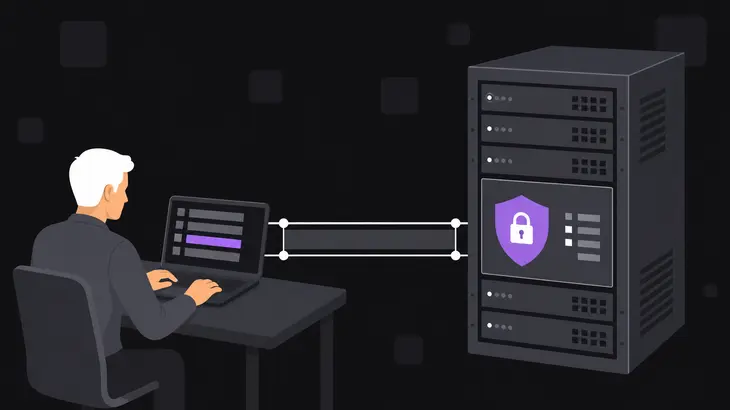
Your viewer connects to an address. If your routing table sends that address into the tunnel, the packets come out at the VNC host's end and hit the listener. RFB has no protection beyond an optional, cryptographically weak password check, and nothing against observation of or tampering with the stream, which is why it belongs inside a secure channel such as IPsec or SSH.
Where the listener is bound is the hardening decision:
- Localhost only. Nothing on the network reaches the port. You get in through an SSH forward across the VPN, so a peer needs an SSH login on the host before the VNC password matters.
- The host's VPN address. Every peer that can route to that address gets the VNC password prompt.
- Every address (
0.0.0.0). The LAN and any public interface get the prompt as well.
The commands here are for TigerVNC's standalone server on Debian 13 (trixie), with display :1 on port 5901. <vnc-host-vpn-address> is the address your machine reaches the host on through the tunnel.
Check what the VNC port is listening on now
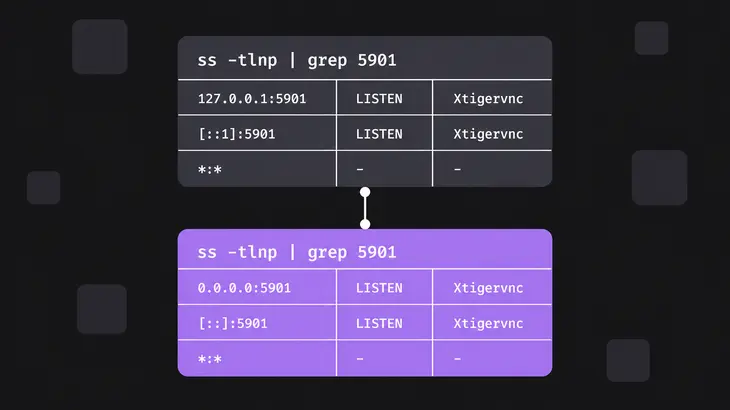
The port is 5900 plus the display number, so :1 is 5901 unless you moved it with -rfbport. On the VNC host:
ss -tlnp | grep 5901A stock session shows 127.0.0.1:5901 and [::1]:5901, and, when ss runs as the session user or under sudo, Xtigervnc as the process holding the socket. That's the Debian wrapper's default at work: with no -localhost option it picks VncAuth, and with no TLS, X509 or RSA-AES security type in the list it listens on localhost only. If you see 0.0.0.0:5901 or [::]:5901, the session was started with -localhost no, or its security types include TLS, X509 or RSA-AES without a *None type, and every address on the host is answering.
Route the VNC host into the tunnel

From your machine, ask the kernel which way it would send the viewer's packets:
ip route get <vnc-host-vpn-address>The output is the route the kernel uses for that destination. If the device after dev is your tunnel (wg0, tun0), you're set. If it's your LAN or default interface, the viewer's traffic bypasses the VPN entirely.
On OpenVPN, add a route line for the LAN that holds the VNC host to the client config. OpenVPN 2.6 adds it once the connection is up and removes it before the TUN/TAP device closes. Leave the gateway off and it's taken from --route-gateway, or with dev tun from the second parameter of --ifconfig:
route <vnc-lan-network> <netmask>On WireGuard, the route comes from AllowedIPs in the VNC host's [Peer] section on your side. Put the host's address there (or the LAN behind that peer, as a CIDR range), and wg-quick adds a route for every allowed range when it brings the interface up:
AllowedIPs = <vnc-host-vpn-address>/32Reconnect and run ip route get again. It should name the tunnel device now.
If the VNC host is a WireGuard peer behind NAT, the NAT mapping can lapse while the tunnel sits idle, and your packets stop reaching it. Set a keepalive in the [Peer] section of the host's own config. It's off by default, and 25 seconds works with a wide variety of firewalls:
PersistentKeepalive = 25Keep the listener on localhost and tunnel in with ssh -L
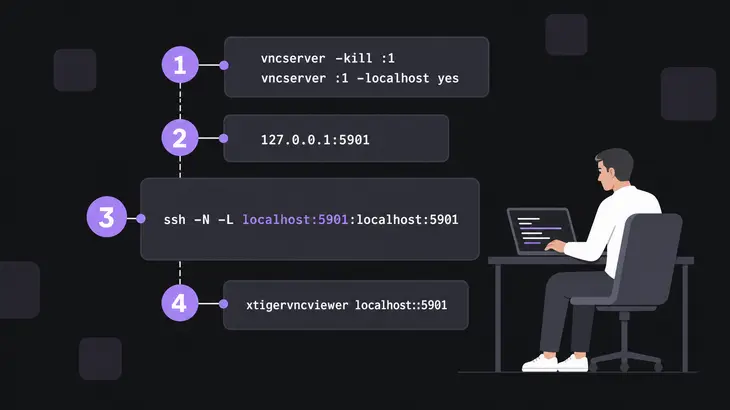
Stock Debian already listens on localhost, but pin it with -localhost yes so that adding a TLS security type later doesn't quietly open the port on every address. Options only apply when the server starts, so restart the session. -kill ends that desktop session; save what's open in it first.
vncserver -kill :1
vncserver :1 -localhost yes
Run the ss check again: you want 127.0.0.1:5901 and [::1]:5901, and no 0.0.0.0 line.
On your machine, forward a local port to the host's loopback through the VPN. The leading localhost binds the forwarded port for local use only, so nobody else on your network can ride your tunnel. -N skips the remote shell, and the command stays in the foreground, so leave that terminal open:
ssh -N -L localhost:5901:localhost:5901 <user>@<vnc-host-vpn-address>In a second terminal, connect. With TigerVNC's viewer, two colons mean a port number, while one colon followed by a number under 100 means a display number:
xtigervncviewer localhost::5901You still get the VNC password prompt. SSH is the extra gate in front of it.
Bind TigerVNC to its VPN address when every peer may connect
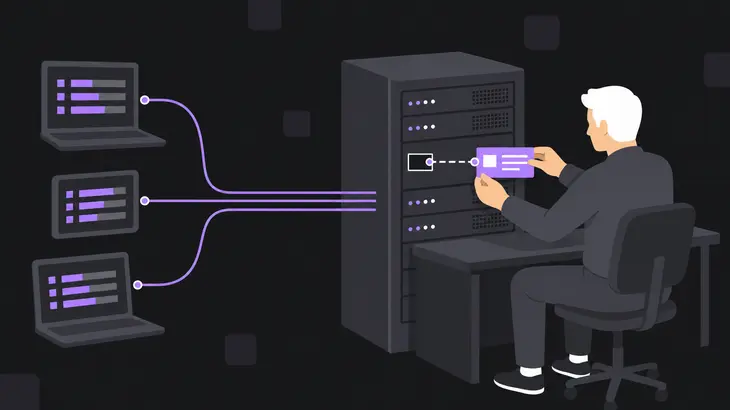
When the VNC host runs the VPN itself and you want peers to connect without an SSH login, bind the listener to the host's VPN address instead of every address. Xtigervnc's -interface option takes the address, and vncserver passes it through:
vncserver -kill :1
vncserver :1 -interface <vnc-host-vpn-address> -localhost no
Order matters here. The Debian wrapper resets the localhost setting when it reads -interface, so with -localhost no first you end up on localhost again. Done right, ss shows <vnc-host-vpn-address>:5901 and no 0.0.0.0 line.
The VPN address has to exist when the server starts. Start it with the tunnel down and Xtigervnc exits at once with status 1. vncserver points you at its log in ~/.config/tigervnc/, which ends with vncExtInit: No path or port configured for incoming connections. Bring the tunnel up first.
Then connect straight to the address:
xtigervncviewer <vnc-host-vpn-address>::5901Every peer that can route to that address now meets the VNC password and nothing else, so keep this for a VPN where you'd trust every peer with that prompt.
When the viewer can't connect
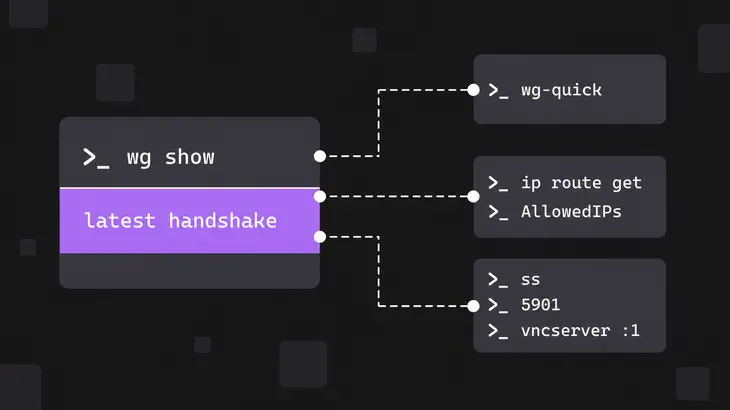
On a WireGuard tunnel, start with the tunnel itself. wg show prints the configuration and runtime information for each interface:
sudo wg show- The peer has no
latest handshakeline: the two ends have never completed a handshake. Check that peer'sEndpointandPublicKeylines, then runsudo wg-quick down <interface>andsudo wg-quick up <interface>. ip route getnames your LAN or default interface: the packets bypass the tunnel. Add the OpenVPNrouteline or theAllowedIPsentry and reconnect.sson the host shows nothing on 5901: the session isn't running. Start it with thevncserver :1line for your path and read its log in~/.config/tigervnc/.ssshows127.0.0.1:5901after you bound the VPN address:-localhost nocame before-interface. Swap them and restart the session.
On a Mac host

On a Mac, the setting that lets a non-Apple VNC viewer in with a VNC password sits under System Settings, General, Sharing, the Info button next to Remote Management: VNC viewers may control screen with password. Turning it on requires a VNC password. Leave it off unless a non-Apple viewer has to connect. Third-party viewers might not encrypt keystrokes sent over the network, and VNC control of the screen is nearly unrestricted access.
Default to localhost plus ssh -L. A peer on the VPN then needs an SSH account on the host before the VNC password even comes up, and a routing mistake on your side can't expose the port. Move to the VPN-address bind only on a VPN where every peer is someone you'd give the VNC password to anyway.
FAQs
Should OpenVPN carry VNC traffic over UDP or TCP?
UDP. It's OpenVPN's default protocol, and OpenVPN is built to run best over it; TCP is there for networks where UDP can't get through. If you're stuck on TCP, add tcp-nodelay to the server config. It turns off Nagle's algorithm so packets go out immediately, and in server mode the server pushes the setting to connecting clients.
tcp-nodelayCan the TigerVNC viewer open the SSH tunnel itself?
Yes. -via runs SSH local port forwarding to the gateway you name and connects through it, which saves you the separate ssh -L terminal. Name the VNC host as the gateway sees it, which for a localhost listener is localhost:
xtigervncviewer -via <user>@<vnc-host-vpn-address> localhost:1Discuss this in the community
Questions about this, or a setup it does not cover? Ask in Security and Remote Access.
Security and Remote Access group