A VNC login is whatever RFB security type the server and the viewer agree on. The server sends the list of types it offers, the viewer answers with one, and that type decides what gets checked (a shared VNC password, a system account, a Windows or Apple login) and whether anything after the login is encrypted. Only None and VNC Authentication are in the base protocol. Everything else is an extension that some servers and viewers speak and others don't.
So don't ask whether your server supports TLS. Ask which type it lists first that your viewer also speaks. On a stock Ubuntu 24.04 TigerVNC server started with -localhost no, that's plain VncAuth with an unencrypted session, even though TLS is on the list.
The security types behind every VNC login
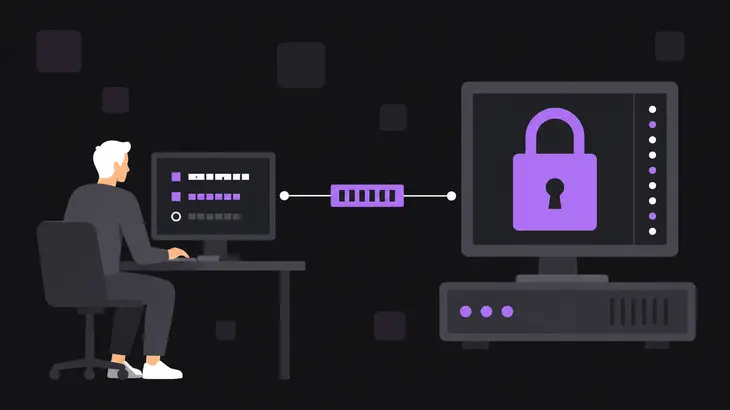
The security handshake is short: the server sends its list of types, the viewer sends back one number, and the login for that type starts. Which number the viewer sends is up to the viewer, and the TigerVNC viewer takes the first type in the server's list that it also speaks, so the server's order decides. It does the same with the subtype list inside VeNCrypt, and current noVNC follows the server's order too. Old RFB 3.3 servers skip the list and pick the type themselves, and they can only pick None or VNC Authentication.
The two base types:
None(1): no check. Anyone who reaches the port gets the desktop.VNC Authentication(2): the server sends a 16-byte challenge and the viewer encrypts it with DES, keyed with the VNC password truncated or padded to eight characters. It's weak, and it only protects the password: the session after it travels in the clear.
Everything else is an extension. These are the ones you'll meet, with the numbers scanners and logs print and the definitions from the RFB security-type list:
| Type | Number | What the server checks | What gets encrypted |
|---|---|---|---|
VeNCrypt Plain |
19, subtype 256 | user name and password | nothing |
VeNCrypt TLSVnc, TLSPlain |
19, subtypes 258, 259 | VNC password, or user name and password | the whole session, over anonymous TLS |
VeNCrypt X509Vnc, X509Plain |
19, subtypes 261, 262 | VNC password, or user name and password | the whole session, and the server shows an X.509 certificate |
RSA-AES RA2, RA2_256 |
5, 129 | VNC password, or user name and password | the whole session |
RSA-AES RA2ne, RA2ne_256 |
6, 130 | VNC password, or user name and password | the handshake only |
| Apple Diffie-Hellman | 30 | user name and password | the credentials only |
| MSLogonII | 113 | Windows user name and password | the credentials only, with a 64-bit key |
Two rows catch people. The TLS* subtypes encrypt everything, but anonymous TLS gives the viewer no certificate to check, so it can't tell the real server from a man in the middle; the X509* subtypes close that gap. And Apple's DH and MSLogonII protect the login, not the session, and MSLogonII's 64-bit key can be cracked immediately.
Which servers and viewers support which methods
| Server | Methods it can offer | Out of the box |
|---|---|---|
| TigerVNC 1.13.1 (Ubuntu 24.04), 1.15.0 (Debian 13) | any of None, VncAuth, Plain, TLSNone, TLSVnc, TLSPlain, X509None, X509Vnc, X509Plain, RA2, RA2ne, RA2_256, RA2ne_256 in -SecurityTypes |
tigervncserver offers VncAuth on localhost only; with -localhost no, VncAuth,TLSVnc on all addresses |
| x11vnc 0.9.16 (Ubuntu 24.04) | None, VNC password (-rfbauth), Unix login (-unixpw, inside the session), VeNCrypt and ANONTLS with -ssl |
None on all addresses if you give no password option |
| RealVNC Server | VNC password, system authentication, interactive system authentication, single sign-on, certificate, RADIUS or Duo after system authentication, None |
encryption AlwaysOn, 128-bit AES; other vendors’ viewers connect directly only with VncAuth and Encryption at PreferOn or lower |
| TightVNC | None, VNC password (full-control and view-only) |
everything after the password check unencrypted |
| UltraVNC | VNC password, MS-Logon I and II with Windows domain or machine accounts | a per-machine VNC password is required; encryption comes from a DSM plugin |
| macOS Screen Sharing | account login for the users you allow, plus a VNC password if you turn it on | the VNC password is its own switch, VNC viewers may control screen with password |
| Viewer | Speaks |
|---|---|
| TigerVNC 1.13.1 (Ubuntu 24.04) | None, VncAuth, every TLS* and X509* subtype, the RA2 family; Plain only when you pass -SecurityTypes Plain |
| TigerVNC 1.15.0 (Debian 13) | the same, plus Apple DH (30), there since 1.14.0, and MSLogonII (113), in the default list since 1.14.1 |
| noVNC 1.7.0 | None, VncAuth, RA2ne, Tight, VeNCrypt Plain, XVP, Apple DH and MSLogonII; no TLS* or X509* subtypes |
| RealVNC Connect Viewer | RealVNC Server; third-party servers from 8.4.0 on a paid plan, unencrypted |
What that means for the pairs people run:
- A Mac offers Apple's own types, from the range IANA reserves for Apple (nmap's sample scan of a Mac shows 30 and 35). Apple doesn't document them, but among open-source viewers an account login appears to need type 30, Apple DH: TigerVNC 1.14.0 or later, or current noVNC. UltraVNC's MS-Logon II needs
MSLogonII: TigerVNC 1.14.1 or later by default (1.14.0 with-SecurityTypes MSLogonII), or current noVNC. Ubuntu 24.04's 1.13.1 viewer has neither. On a Mac it can only use the VNC password, if that switch is on, and it can't log in to an UltraVNC server with MS-Logon enabled, because that server then offers no VNC password type. - noVNC can't take a TigerVNC server that offers only
TLS*,X509*,RA2orRA2_256types. Ubuntu 24.04 packages noVNC 1.3.0, which speaks even less (None,VncAuth, Tight, XVP and VeNCryptPlain) and picks by its own preference,Nonefirst, instead of the server's order. - RealVNC Connect Viewer reaches open-source servers only from 8.4.0, on a paid plan, and unencrypted.
TigerVNC: password file or system login
The type you list decides which credential Xtigervnc checks:
- Password file:
VncAuth,TLSVnc,X509Vnc, and theRA2types with the default-RequireUsername nocheck the VNC password in~/.vnc/passwd. - System login:
Plain,TLSPlain,X509Plain, and theRA2types with-RequireUsername yescheck the account password through PAM, using thetigervncservice fromtigervnc-commonunless/etc/pam.d/vncexists. Only accounts inPlainUsersget in. The wrapper sets that to the user who started it;*lets in any account. Anyone outside the list gets the sameAuthentication failure: invalid password or usernameas a wrong password, so check the list before you reset a password.
The gotcha is what the wrapper picks when you don't name a type. With no -SecurityTypes, it offers VncAuth and listens on localhost only, which is built for an SSH tunnel. Add -localhost no and it offers VncAuth,TLSVnc on all addresses. Xtigervnc lists VeNCrypt first, but VncAuth stays first inside it, and a TigerVNC viewer takes it:
CConnection: Choosing security type VeNCrypt(19)
CVeNCrypt:   Choosing security type VncAuth (2)
TLS was offered and never used. Put the encrypted type first or alone and the viewer follows: with TLSVnc,VncAuth, the order Xtigervnc itself defaults to when you start it without the wrapper, the same viewer picks TLSVnc.
For a direct connection, name X509Plain. You get a system login, an encrypted session and a certificate the viewer can check, and the wrapper opens it on all addresses and creates a self-signed certificate in ~/.vnc/ if you don't supply one:
tigervncserver :1 -SecurityTypes X509PlainIt answers with New Xtigervnc server '<server-fqdn>:1 (<user>)' on port 5901 for display :1. The certificate is issued to the name hostname -f prints on the server, plus localhost. Copy it to your machine and connect by that name, or the viewer warns that the hostname does not match the server certificate:
scp <user>@<server-fqdn>:.vnc/<server-fqdn>-SrvCert.pem ~/vnc-ca.pem
xtigervncviewer -X509CA ~/vnc-ca.pem <server-fqdn>:1
The viewer asks for your account's user name and password and logs CVeNCrypt: Choosing security type X509Plain (262). A Could not load user specified certificate revocation list line next to it only means there's no CRL file in the default place, and the login goes ahead.
Debian 13 ships TigerVNC 1.15.0 with the same wrapper defaults, but keeps these files in ~/.config/tigervnc/: the password file, the generated certificate and the log.
x11vnc: Unix logins happen inside the session
x11vnc takes its method from flags, and with no password flag it offers None on all addresses. -rfbauth <file> gives you VncAuth. -unixpw works differently, because the login isn't a security type at all: x11vnc draws a login: and Password: prompt on a black screen inside the viewer and checks the answer with su(1), and the viewer gets three tries and 45 seconds. For LDAP or another account source, -unixpw_cmd <helper> passes the user name and password to your helper on stdin, one per line, and lets the user in when it exits 0.
Because that password is typed into the session, x11vnc won't run -unixpw in the clear. Without -ssl, it switches to its own SSL with a temporary self-signed certificate and logs set -ssl in -unixpw mode.. Started from an SSH login, it drops the SSL requirement and only insists on -localhost.
That makes SSH the easy path. <n> is the X display of the desktop you want to share, and that desktop has to run on X11:
ssh -t -L 5900:localhost:5900 <user>@<server-host> 'x11vnc -localhost -unixpw -display :<n>'If x11vnc can't open the display, add -auth guess. The command holds that terminal, so open a second one on your machine:
xtigervncviewer localhost::5900Over SSH, x11vnc offers only None in the handshake, so the viewer logs CConnection: Choosing security type None(1) and the session opens on the login: prompt. x11vnc exits when this first viewer disconnects, because -once is its default; add -forever to keep it listening.
If you'd rather skip SSH, the SSL route is rougher with Ubuntu 24.04's TigerVNC viewer. With -ssl, x11vnc offers VeNCrypt and ANONTLS, with TLSNone and X509None as the subtypes under -unixpw, the 1.13.1 viewer picks the anonymous one, and the handshake fails: the viewer reports TLS Handshake failed and x11vnc logs no shared cipher. Give x11vnc a real certificate with -ssl <pem-file>, copy only the certificate part of that file to your machine (it holds the private key too), and make the viewer use the X.509 subtype: X509None for -unixpw, where the login still comes inside the session, or X509Vnc for -rfbauth. Connect by a name the certificate carries:
xtigervncviewer -SecurityTypes X509None -X509CA <server-cert.pem> <server-fqdn>::5900Check what your server offers and what the viewer picked
From any machine that can reach your server's port, nmap's vnc-info script lists the offered types in the server's order (sudo apt install nmap if it's missing):
nmap -sV -p 5901 --script vnc-info <server-host>A TigerVNC server started with -localhost no and no -SecurityTypes answers:
|   Security types:
|     VeNCrypt (19)
|     VNC Authentication (2)
|   VeNCrypt auth subtypes:
|     Unknown security type (2)
|_    VNC auth, Anonymous TLS (258)
Nmap 7.94 doesn't name VeNCrypt subtype 2; it's VncAuth. Keep -sV, because without service detection the script only runs on ports 5900 to 5902. A server on localhost only has to be scanned from the server itself, against 127.0.0.1. An x11vnc -unixpw server started over SSH shows None (1) and WARNING: Server does not require authentication, since its login comes after the handshake. In its default SSL mode the script can't read it and prints ERROR: Script execution failed.
On your TigerVNC server, check what the wrapper really passed and what each viewer asked for:
ps -o args= -C Xtigervnc
grep 'requests security type' ~/.vnc/*:1.log
The first prints the full Xtigervnc command line, including -SecurityTypes, -localhost and, for the Plain types, -PlainUsers. The second prints a pair per connection, such as SConnection: Client requests security type VeNCrypt(19) and SVeNCrypt: Client requests security type VncAuth (2). On Debian 13 the log is in ~/.config/tigervnc/.
When the two ends don't agree:
No matching security typesfrom the TigerVNC viewer: none of the server's top-level types is in your viewer's list. Compare the nmap list with the viewer table, then add a common type on the server or use a newer viewer.No valid VeNCrypt sub-typefrom the TigerVNC viewer: the server offers VeNCrypt, but none of its subtypes is in your viewer's list, as with aPlain-only server and a default 1.13.1 viewer. Pass the subtype with-SecurityTypes, or offer one the viewer has by default.Unsupported security types (types: ...)from noVNC: the server offers only types noVNC lacks, usuallyTLS*,X509*orRA2. Add a type noVNC speaks to the server's list:RA2nefor noVNC 1.7,VncAuthfor any noVNC.TLS Handshake failedfrom TigerVNC against x11vnc-ssl: the viewer chose anonymous TLS, and x11vnc logsno shared cipher. Use the X.509 command from the x11vnc section with the certificate you gave x11vnc.
Choose by how the viewer reaches the server. Through SSH, the wrapper's default VncAuth on localhost is enough, because SSH encrypts everything around it. For a direct connection to TigerVNC, name X509Plain: a real account limited by PlainUsers, an encrypted session and a certificate the viewer can check. Never leave -localhost no on its default list, and keep x11vnc's Unix login on the SSH path.
FAQs
Can a RealVNC viewer and an open-source VNC server connect to each other?
From RealVNC's viewer, only unencrypted. Third-party server connections need RealVNC Connect Viewer 8.4.0 or later, a paid plan and a signed-in viewer, and those sessions aren't encrypted. The other way round, RealVNC Server lets other vendors' viewers in only on direct connections, with its Authentication set to VncAuth and its Encryption at PreferOn or lower, and those sessions are unencrypted. TigerVNC 1.13 and later also speak RealVNC's RSA-AES types, so point nmap's vnc-info at your RealVNC Server to see whether it offers one of them.
Does an SSH tunnel change the authentication method?
No. The viewer and the server negotiate the same type through the tunnel; SSH only wraps the connection. That's why the localhost default pairs with VncAuth: the wrapper expects you to come in over SSH, and only the TLS*, X509* and RA2 types make it listen on every address by itself, as long as no None type is in the list.
Discuss this in the community
Questions about this, or a setup it does not cover? Ask in Security and Remote Access.
Security and Remote Access group