A VNC server sends your screen as batches of rectangles, and each rectangle names its own encoding. Raw sends every pixel, CopyRect tells your viewer to copy pixels it already has, and Hextile, ZRLE and Tight pack the pixels to save bandwidth. Your viewer only gets a vote: it sends the encodings it can decode, most preferred first, and the server can pick per rectangle, with Raw always allowed.
How much that vote counts depends on the server. x11vnc and other LibVNCServer servers use the first entry they support. TigerVNC's server uses a Tight, ZRLE or Hextile first choice for most rectangles but still sends solid areas as Tight, and it replaces a Raw first choice with the Tight and ZRLE your viewer also lists. And TigerVNC Viewer replaces your choice with Tight after the first update unless you also pass -AutoSelect=0.
Your list, the server's pick
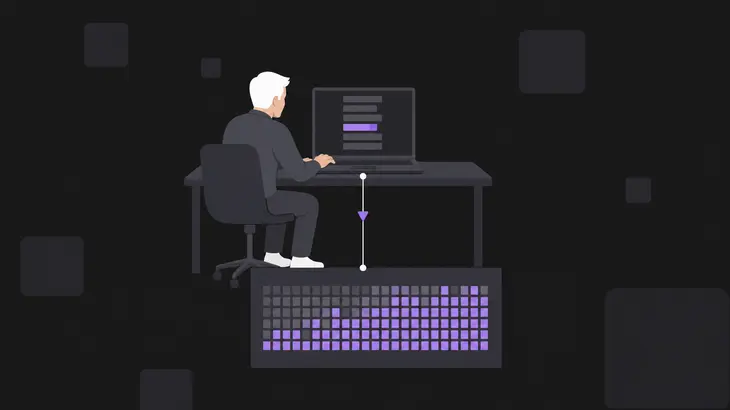
Once the session is up, your viewer sends a SetEncodings message: every encoding it can decode, most preferred first. The order is only a hint the server may ignore, and the server can fall back to Raw even if you never listed it. The same list carries pseudo-encodings, entries that switch on protocol extensions instead of naming a pixel format. A server that doesn't know one skips it.
The viewer then asks for screen content with a FramebufferUpdateRequest, and every rectangle in the reply starts with its own encoding-type field. One update can carry a Tight rectangle, a ZRLE rectangle and a CopyRect, and nothing is wrong when it does. When the viewer needs a whole area again it sends the request with incremental set to false, and that request is never answered with CopyRect.
So the encoding in your viewer settings is a request. TigerVNC's server writes what it actually sent to its log when the viewer disconnects.
What each encoding does to a rectangle
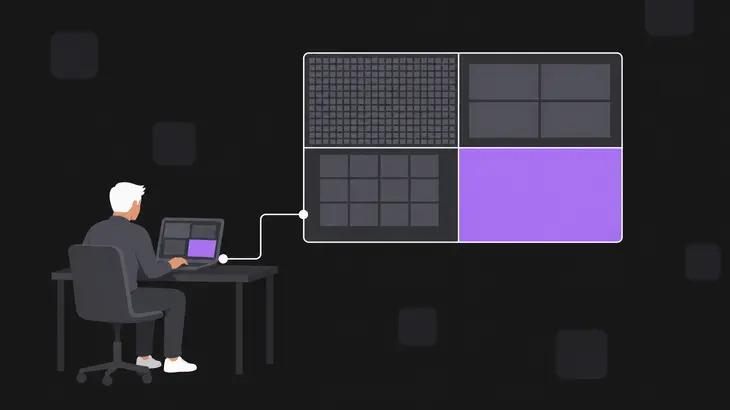
Raw and CopyRect are the two extremes: every pixel, or no pixels at all, just the position of identical ones the viewer already holds. Everything else packs pixels. RRE describes a rectangle as solid-colour subrectangles and CoRRE and Hextile are variations on it, TRLE and ZRLE work in tiles with palettes and run lengths, and Zlib, ZRLE and Tight add zlib on top.
| Encoding | ID | How it packs a rectangle | TigerVNC and LibVNCServer |
|---|---|---|---|
| Raw | 0 | Every pixel value, left to right, top to bottom. | Every client must decode it. |
| CopyRect | 1 | The X,Y position of identical pixels already in the viewer’s framebuffer, typically after a window move or scroll. | Both. |
| RRE | 2 | A background colour plus a list of solid-colour subrectangles. RFC 6143 marks it obsolescent. | Both. |
| CoRRE | 4 | RRE with subrectangles limited to 255 pixels. | LibVNCServer and LibVNCClient only. |
| Hextile | 5 | 16×16 tiles, each sent raw or as RRE-style subrectangles. Also obsolescent. | Both. |
| Zlib | 6 | Raw pixels through one zlib stream. | LibVNCServer and LibVNCClient only. |
| Tight | 7 | Per rectangle: one fill colour, zlib over palette- or gradient-filtered pixels, or JPEG. | Both. |
| TRLE | 15 | 16×16 tiles with palettes and run-length encoding, no zlib. | LibVNCClient decodes it; neither server sends it. |
| ZRLE | 16 | TRLE-style tiles at 64×64 inside one zlib stream per connection. | Both. |
| Open H.264 | 50 | H.264 frames per rectangle. | TigerVNC Viewer decodes it since 1.13.0; TigerVNC’s server doesn’t send it. |
Tight is where most sessions end up, and it's the only encoding here that TigerVNC's server and x11vnc send lossy, as JPEG. Open H.264 is lossy too, but it comes from servers such as PiKVM. In Tight, JPEG is only allowed when the viewer has sent a JPEG quality level and runs at 16 or 32 bits per pixel, so leave the quality level out and Tight stays lossless. ZRLE keeps one zlib stream for the whole connection, which is why its rectangles must be decoded strictly in order.
Pseudo-encodings: cursor, desktop size and the quality knobs
Not every entry in the list names a pixel format. Pseudo-encodings ride in the same SetEncodings message and tell the server what else the viewer can handle:
- Cursor (-239): your viewer draws the pointer locally, which can make a slow link feel much faster.
- DesktopSize (-223): the viewer copes when the remote framebuffer changes size; the server sends it as the last rectangle of an update. TigerVNC Viewer also lists ExtendedDesktopSize (-308).
- LastRect (-224): the server can start an update before it knows how many rectangles it holds.
- Compression level (-256 to -247): -256 asks for low compression, -247 for high. It's a hint with no fixed meaning per level, and the server decides what to do with it.
- JPEG quality level (-32 to -23): -32 asks for low quality, -23 for high. Without one, Tight sends no JPEG.
TigerVNC Viewer 1.13.1 ends its list with -254 and -24 by default: compression level 2 and quality 8.
What the server actually sends
Raw is always legal, but how the server reads the rest of your list matters more, and the two server families you're most likely to meet read it differently.
LibVNCServer, which x11vnc is built on, takes the first encoding it supports from your list and uses it for every rectangle until the viewer sends a new list. x11vnc names it in its log as Using tight encoding for client <client-address>. Prefer Raw and you get Raw for the whole session.
TigerVNC's server decides per rectangle. It sorts each one into a class (solid, bitmap, indexed, full colour) and maps each class to an encoder. Your first supported entry decides most classes, and the rest go to the best other encoding you listed:
- solid areas go out as Tight whenever Tight is in your list;
- with Tight or Raw preferred, full-colour areas use Tight's JPEG mode if you sent a quality level.
That's why TigerVNC Viewer with -PreferredEncoding=raw still gets Tight and ZRLE from a TigerVNC server: it lists both after Raw. TigerVNC only goes all-Raw for a viewer that lists nothing else it can encode, such as TightVNC Viewer started with -encodings "raw".
TRLE is in RFC 6143, but neither server sends it: TigerVNC has no TRLE encoder, and LibVNCServer's support table lists it for LibVNCClient only. Ask for TRLE and you get your next choice.
Setting the encoding in TigerVNC, TightVNC and RealVNC viewers
Each viewer exposes a different amount of control. You name one preferred encoding in TigerVNC Viewer, you write the whole list in TightVNC Viewer, and RealVNC Viewer ignores its encoding setting until you set picture quality to custom.
In TigerVNC Viewer, -PreferredEncoding takes Tight, ZRLE, hextile or raw. The viewer puts your pick first, then CopyRect, then everything else it can decode; Ubuntu 24.04's build includes Open H.264 in that list. The gotcha is automatic selection: it's on by default, it always requests Tight, and it runs at the end of every update. Pass -PreferredEncoding=ZRLE alone and you get ZRLE only until the first update ends; after that the viewer asks for Tight. Add -AutoSelect=0. In the GUI, press F8, open Options, Compression, clear Auto select and pick the Preferred encoding.
TightVNC Viewer's -encodings takes a quoted list in your order, with Raw assumed last. Left alone it sends copyrect tight hextile zlib corre rre raw to a remote host and moves raw to the front for a local one. ZRLE isn't among its encodings.
RealVNC Viewer's PreferredEncoding defaults to ZRLE and also offers JPEG, Zlib, ZRLE2, TRLE, Hextile, Raw and JRLE. Since version 6.0.0 it's ignored unless Quality is CUSTOM. Set both under Preferences > Expert or on the command line.
| Viewer | Pin the encoding | Default |
|---|---|---|
| TigerVNC Viewer | -AutoSelect=0 -PreferredEncoding=ZRLE |
AutoSelect on, requesting Tight |
| TightVNC Viewer | -encodings "tight copyrect" |
copyrect tight hextile zlib corre rre raw (remote host) |
| RealVNC Viewer | -Quality=CUSTOM -PreferredEncoding=ZRLE |
Quality AUTO, PreferredEncoding ZRLE |
Trading bandwidth against picture quality
The encoding picks the method; the compression level and JPEG quality decide how hard it works. Leave automatic selection on and TigerVNC Viewer tunes the quality for you: JPEG quality 8 above 16 Mbit/s, 6 below, and full colour off below 256 kbit/s. With -AutoSelect=0 your -QualityLevel holds as set. -CompressLevel is different: the viewer only sends it together with -CustomCompressLevel and otherwise keeps asking for level 2; setting a level alone doesn't switch the custom setting on.
| Control | Range and default | What it changes |
|---|---|---|
TigerVNC Viewer -QualityLevel |
0 to 9, default 8; AutoSelect replaces it with 8 or 6 | JPEG quality in Tight |
TigerVNC Viewer -CustomCompressLevel -CompressLevel=9 |
0 to 9, default 2; ignored without -CustomCompressLevel |
Lossless compression level |
TigerVNC Viewer -NoJpeg |
Off by default | Sends no quality level, so Tight stays lossless |
TightVNC Viewer -compresslevel |
0 to 9; 1 uses least CPU, 9 compresses best | Tight and Zlib compression |
TightVNC Viewer -quality |
0 to 9 | JPEG quality in Tight |
Xtigervnc -ZlibLevel |
0 to 9 | ZRLE only, not Tight |
Use high compression levels on very slow links and low ones on a fast LAN: level 9 compresses best but costs the most server CPU. On the server side, Xtigervnc adds -ZlibLevel for ZRLE, -ImprovedHextile (on by default; better Hextile compression for slightly more CPU) and -CompareFB (0 off, 1 always, 2 auto, default 2), which compares framebuffer pixels so unchanged areas aren't sent again. None of them picks the encoding. That always comes from your viewer's list.
Check which encoding your session used
This run uses Ubuntu 24.04 (TigerVNC 1.13.1) and a session on display :1, port 5901. Use a session you already run, and put its display number in place of :1 in the commands below (localhost:1, the log name, -kill :1). List your sessions on the server:
tigervncserver -listEach line shows a display, its RFB port and the Xtigervnc process ID. If the list is empty, start one:
tigervncserver :1It prints New Xtigervnc server '<server-host>:1 (<user>)' on port 5901 for display :1. The session needs a desktop, or at least a terminal, to run: on a server with neither installed it stops at once with The X session cleanly exited!. If another user or X server already holds :1, you get A X11 server is already running for display :1 instead; start on a free display such as :2 and use that number in the commands below.
Started with the default settings, the server listens on localhost only, so connect through SSH. From your workstation:
vncviewer -via <user>@<server-host> -AutoSelect=0 -PreferredEncoding=ZRLE localhost:1Press F8 and open Connection info… for Requested encoding and Last used encoding. The second one can read Tight even with ZRLE requested: those are the solid areas. For the full picture, close the viewer, then back on the server (or over ssh) pull the per-encoder statistics out of the log:
grep EncodeManager ~/.vnc/*:1.logEvery session adds a block starting at Framebuffer updates, and the last block is the one you just closed. Expect lines like these (byte counts trimmed):
 EncodeManager: Framebuffer updates: 11
 EncodeManager:   Tight:
 EncodeManager:     Solid: 3 rects, 1.23678 Mpixels
 EncodeManager:   ZRLE:
 EncodeManager:     Indexed RLE: 5 rects, 14.947 kpixels
 EncodeManager:     Full Colour: 21 rects, 38.914 kpixels
If you started the session just for this, stop it on the server:
tigervncserver -kill :1On Debian 13 (TigerVNC 1.15.0) the commands and the EncodeManager lines are the same; only the log moves to ~/.config/tigervnc/<server-host>:1.log, so grep ~/.config/tigervnc/*:1.log, and the viewer takes the same encoding options.
Pin an encoding only when you're testing a server or chasing a decoder bug; for everyday sessions, leave automatic selection on and let it tune JPEG quality to the link. When text has to stay pixel-exact, keep Tight and add -NoJpeg instead of switching encodings, plus -AutoSelect=0 on slow links, where automatic selection would otherwise drop full colour. Then grep the server log to see what actually went over the wire.
FAQs
Does ZRLE or Tight encrypt the session?
No. Encodings only pack pixels, and the RFB protocol itself gives no protection against observation of the data stream. Encryption comes from a security type that adds it or from a secure channel such as SSH, which is what -via sets up.
Can I choose the encoding in noVNC?
No. noVNC sends a fixed list: CopyRect first, then Tight ahead of the other pixel encodings, with Raw last. Newer releases such as 1.6.0 (Debian 13) put H.264 in front of Tight when the browser can decode it, and Ubuntu 24.04's 1.3.0 doesn't offer ZRLE at all. What you can set are the quality (JPEG) and compression URL parameters, 0 to 9 each.
Where is the full list of encoding numbers?
In the IANA Remote Framebuffer Encoding Types registry. It also holds numbers with no public specification, such as JRLE (22) and ZRLE2 (24), the two extra values RealVNC Viewer offers.
Discuss this in the community
Questions about this, or a setup it does not cover? Ask in Developer and Integration Topics.
Developer and Integration Topics group